 Service App
Breakdown management for trucking companies.
Find towing & roadside help fast, run every job to completion, and keep the financial side clean — your way.
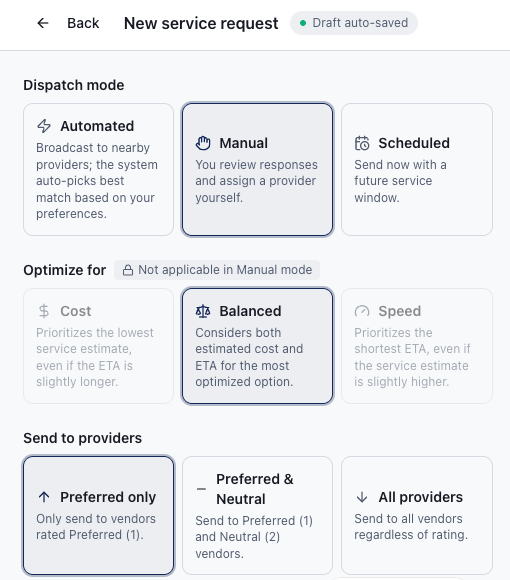
Open a request in under a minute
Location, truck, what's wrong, drop-off — the intake is built for a dispatcher on a phone call, not a data-entry clerk. Everything the vendor needs travels with the job from the first screen.
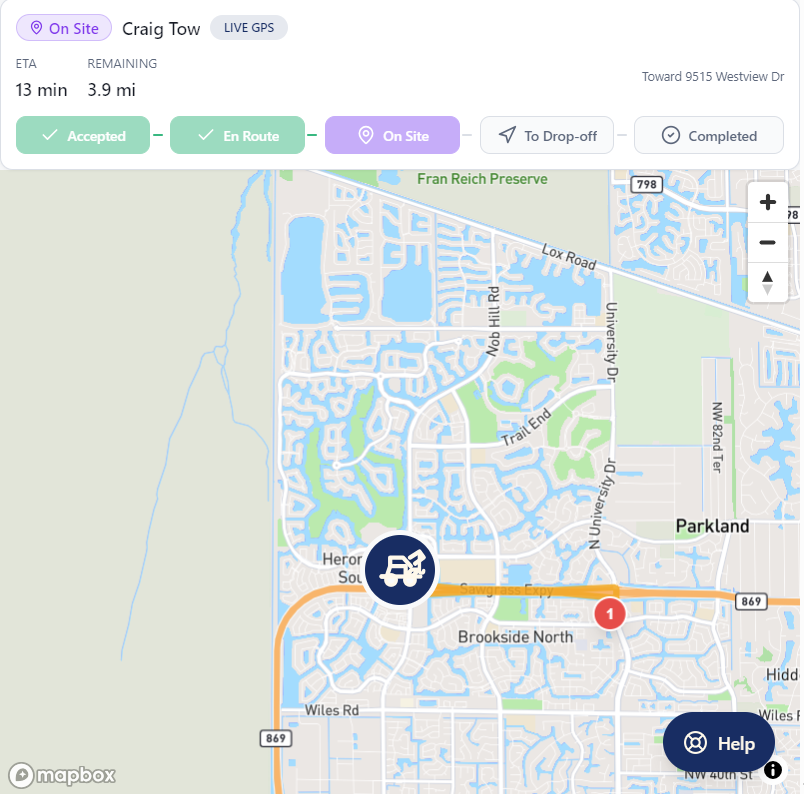
Know where the truck is, always
Vendor responses, ETAs, status changes, a live operator map and a full audit trail on every job. When the fleet manager calls asking where their driver stands, the answer is already on the screen.
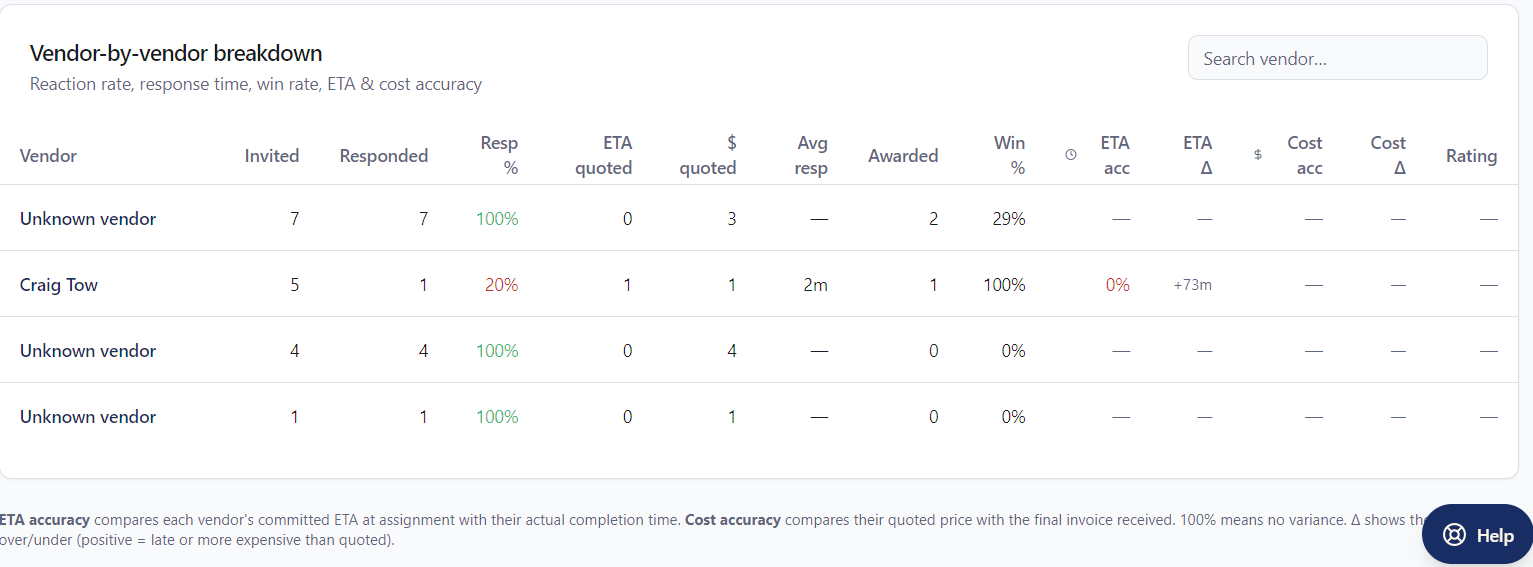
Track Performance
Spend by vendor, region, truck and service type. Response times. Vendor scoring. Pay through Stripe or pay the vendor directly with your existing AP process — per job, never locked in.
The rest of the Service toolkit
Dispatch modes
Manual, Automatic (Speed / Cost / Smart), or Scheduled — pick how requests go out.
Vendor scoping
Preferred-only, Preferred+Neutral, or All vendors. Reward the relationships you've built.
Live job tracking
Vendor responses, ETAs, status, live operator map and full audit trail.
Flexible pay
Pay through Stripe or pay the vendor directly with your existing AP process.
Analytics
Spend by vendor, region, truck and service type. Response times. Vendor scoring.
Guided onboarding
Company, team, dispatch preferences, first request — no long setup calls.
Questions breakdown departments ask
Do we have to change how we pay vendors?
No. Pay through Stripe inside Tow4Tech, or keep paying the vendor directly through your existing AP process. It's a per-job choice.
Can we keep using our preferred vendors?
Yes. Scope any request to preferred vendors only, add neutral vendors as backup, or open it to the whole network when you're somewhere you have no coverage.
How long does setup take?
Minutes. Guided onboarding walks you through company, team, dispatch preferences and your first request — no implementation call required.